You can also use CS4/5/6 for focus stacking. File - Scripts - Load files into stack. Once the images are aligned, highlight all the layers, then Edit - Auto Blend Layers. Be sure to check your images for any stacking artefacts.
Other stacking softwares you might want to consider are Zerene Stacker and Helicon Focus.
DOF is like real estate in macro photography, especially so when you go into higher magnification!
In macro,
DOF = 2 N c x [ (m+1)/m^2]
N - f number, c - circle of confusion, = 0.018mm for aps-c, m - magnification
Let's say we shoot at F11 at 1X, the DOF = 2 * 11 * 0.018 [ 2/1] = 0.792 mm
At 2X and F11, DOF = 0.297 mm
At 3X and F11, DOF = 0.176 mm
At 4X and F11, DOF = 0.123 mm
At 5X and F11, DOF = 0.095 mm
However, according to the DOF table in the MPE65 booklet:
At 1X and F11, DOF = 1.584 mm
At 2X and F11, DOF = 0.594 mm
At 3X and F11, DOF = 0.352 mm
At 4X and F11, DOF = 0.247 mm
At 5X and F11, DOF = 0.190 mm
You might notice that the DOF numbers in the booklet are two times the values i calculated using the DOF equation. Probably has something to do with pupil magnification? http://en.wikipedia.org/wiki/Depth_of_field
Can we use big F number to get big DOF?
To make matter worse, you know you can't shoot at F11 beyond 3X. The diffraction softness will be so pronounced that it severely compromises the image sharpness!

I photographed the scroll wheel of my mouse with the MPE65 at 2X. First at F9 (left), then F16 (right). After that, I did a 100% crop as shown by the yellow boxes above. You can see the 100% crop images below.

Compare the image on the left (F9, 2:1) to the one on the right (F16, 2:1). The image on the right is obviously very very soft (not out of focus) due to diffraction.


that's a huge difference!!!) with reasonable sharpness. However, it all depends on your personal preference and tolerance on DOF vs Diffraction Softness. You can't have both. You need to choose a balance that you can live with.
When the subject is willing and you're up for a challenge, you can try taking multiple shots for focus stacking. Focus on different DOF planes of the subject, provided the subject is stationary and you don't change the FOV much.
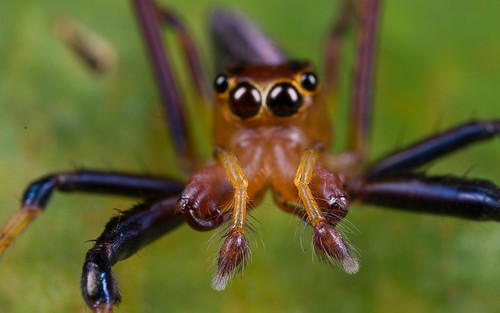
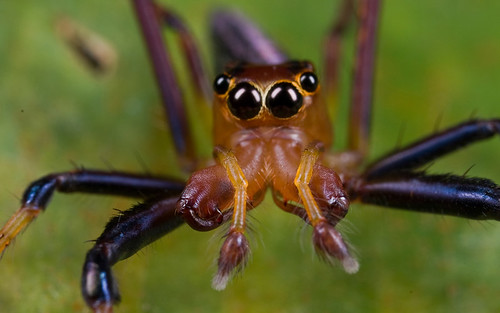
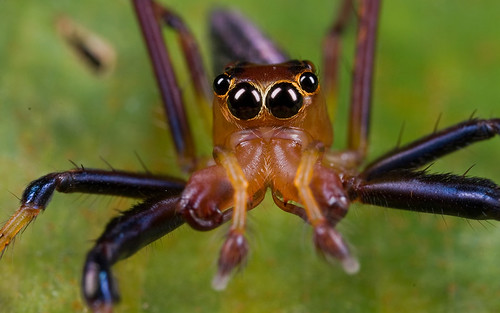
I was lucky with this handsome jumping spider as it allowed me to take four shots of him up close.
Notice all four images have different DOF planes..ie focused at different planes of the jumping spider
All images taken with a Canon 40D, Canon MPE65 1X-5X Macro Lens
 and Canon MT24EX Twin Flash
 .
.

You can try to stack these manually in Adobe Photoshop
 by using layer mask and selectively reveal the in-focus areas but it's quite a chore when there are too many donor images. Luckily, this can be automated using Focus Stacking software such as CombineZ
Just go File - New, then select all the images for focus stacking. Then Macro - Do Stack and wait.
Once it's done, just go File - Save Frame/Picture As. Pay attention to the edges as CombineZ almost always adds canvas the the frame, which needs to be cropped off. Also check for other stacking artifacts like halos, duplicated hairs etc.
Here's the outcome.

Auto Focus stacking can be done in CS4
 as well but i've never tried that so i can't comment much on that.
You should also try manual focus stacking in Adobe Photoshop
. It's really easy once you get the hang of it. There is a tutorial here.Other examples of stacked images:
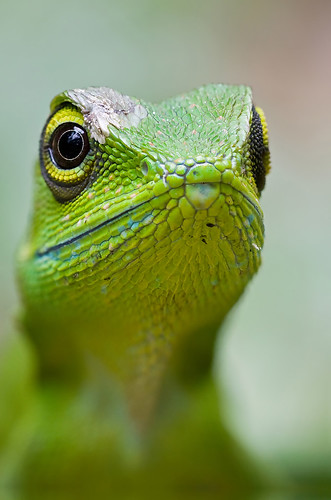
Green crested lizard, Bronchocela cristatella. Stacked from 9 natural light, handheld shots.
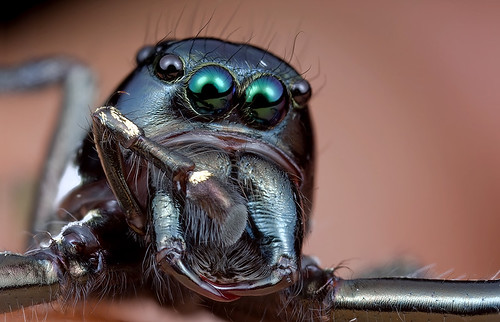
Jumping spider, stacked from 2 images in CombineZP:
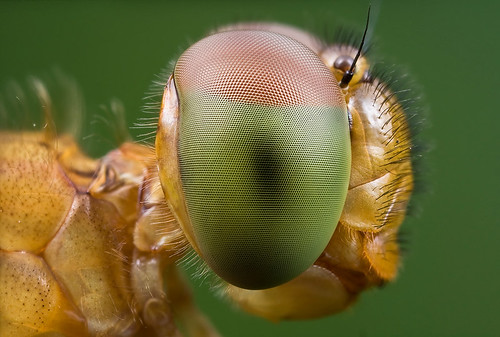
Dragonfly, stacked from 2 images:


Saw your post in lowyat and really didn't believe there is such a thing....
ReplyDeleteNow I do :p
Great job and great write up~!
Thanks for sharing! ^^
Hi Kevin, thanks for dropping by and commenting. Yeah..it's great and it's free! Give it a try :)
ReplyDeleteKurt man, this is brilliant !!!!
ReplyDeleteThanks, Bryce:)
ReplyDeleteHi Kurt,
ReplyDeleteI'm trying to find a large number of images of the Green Crested Lizard to use on a TV project. We are trying to create a CGI version of this lizard. Firstly, I wonder - do you have any other images of this lizard, perhaps they weren't 'arty' enough but would still be useful for creating a full CGI lizard? I know it's a slightly bizarre request but we would be able to pay something if you have a larger selection available.
It would be great to hear your thoughts.
Kind Regards
Alex Jones
alexjones@redplanetpictures.co.uk
Thank you so much for sharing, i learned something new once again!
ReplyDelete